If you have ever watched a summer storm roll in, you know the feeling. The first rumble, the flicker of lights, that tiny pause before you wonder whether the fridge just restarted or if your TV is about to become a very large picture frame. I have been in more mechanical rooms and cramped crawlspaces than I care to count, and I have seen what a stray surge can do. The damage is rarely theatrical. It is quiet, cumulative, and expensive. Surge protection installation is the unsung bodyguard of your home, the thing that keeps the drama outside so the gadgets inside keep humming.
Homeowners call TDR Electric for plenty of reasons, from EV Charger Installations to Smart Home Device Installation to Solar Panel Installation. Surge Protection Installation sits in the top tier of “most asked about, least understood” services. It costs less than replacing one fried induction range. It plays nicely with your existing panel. And when you get the two-tier approach right, you can forget about it for years, which is exactly what you want from a safety system.
What a power surge actually is
A surge is a temporary spike in voltage that exceeds what your equipment is designed to handle. Your home runs on a nominal 120/240 volts in North America, with tolerances for minor fluctuations. A surge jumps that level, sometimes by a little, sometimes by a lot. You can blame lightning, a utility switching event, a downed line, or even your own high-demand equipment cycling on and off. An older air conditioner or a big compressor can backfeed a small surge into your house. That surge looks for the easiest path to ground. Sometimes it finds the path through your television’s power supply.
Not all surges are catastrophic. The big ones you notice, the rest you don’t. Those micro-surges, often measured in hundreds of volts for fractions of a second, chip away at electronics. Power supplies run hotter, semiconductors age faster, and sensitive controllers lose reliability. When a client tells me their smart fridge has a mind of its own, or their garage opener just started ghost-activating, I ask about surge protection before I ask about brand.
Where risk hides inside modern homes
Two decades ago, a surge might have cost you a VCR and a dial-up modem. Today, your house is a hive of microprocessors. The thermostat talks to a hub, the range listens to a Wi-Fi chip, the doorbell runs machine vision. Even smoke detectors have logic boards. LED bulbs use drivers, not filaments. Your EV charger and solar inverter introduce new power electronics, and those systems are both sensitive and expensive.
I have opened panels where a lightning strike took out a cable modem, the router, and the smart TV, then jumped to a gaming console over HDMI. Insurance covered some of it. The homeowner ate the rest, including two weeks of hassle. Meanwhile, a neighbor two doors down had a whole-home surge protective device installed by a Residential Electrician the previous fall. Their lights blinked, and that was the end of it.
How surge protection works when it works well
Surge protective devices, or SPDs, are voltage bouncers. They sit near your main panel and, when voltage spikes, they shunt the excess to ground in a hurry. The heart of most residential SPDs is a metal oxide varistor, known as an MOV, which changes resistance depending on voltage. Think of it as a pressure relief valve for electricity. It is sacrificial by design, so it will degrade over time as it absorbs energy. The better SPDs monitor their own health, often with an indicator light.
There are two key ideas that matter in real homes. First, distance is the enemy. Every inch of conductor adds a tiny bit of impedance. That impedance raises the “let-through” voltage during a surge. More on that in a moment. Second, layers win. Combining a whole-home device at the service panel with point-of-use protection at certain outlets catches the big stuff and the small, fast transients that sneak through. Catch the boulder at the top of the hill, stop the pebbles at the curb.
Whole-home vs. point-of-use, and why you need both
A whole-home device, mounted at the main panel or meter base, handles large surges. Utility switching events and nearby lightning strikes send big energy. A good SPD can knock that down before the pulse spreads through branch circuits. If you have a detached garage, a subpanel, or a long run to an outbuilding, you want that main device to be properly sized and properly bonded.
Point-of-use protectors live at the outlet, often inside a power strip, but higher-grade receptacles exist too. They respond fast, and they are close to your electronics, which means less let-through. A common mistake is to install fancy power strips but skip the whole-home unit, or vice versa. The strips get overwhelmed by big energy, while the whole-home device cannot stop every small transient at the end of a long circuit feeding your media center.
In my experience, the best value combo is a Type 2 whole-home SPD at the main panel, paired with point-of-use protection for media centers, a home office, and any area where you have stacked electronics with expensive interfaces. If your internet service comes via coax or phone line, make sure you protect those entries too. Surges do not respect your chosen input port.
Selecting the right SPD without the marketing fluff
Spec sheets can read like cryptograms, so here is what actually matters. Look at the nominal discharge current and the short-circuit current rating. The higher the nominal discharge current, the more energy the device can safely absorb. Look for listings from UL 1449, current edition. Ignore devices that lack it. Pay attention to modes of protection. You want protection line to neutral, line to ground, and neutral to ground. The dirty reality is that not every surge follows the same path, and neutral to ground is often neglected in cut-rate hardware.
Clamping voltage is the voltage at which the device starts to conduct. Lower is better, within reason. If it is too low, nuisance operation shortens lifespan. Most quality devices sit in a sensible band that balances responsiveness and durability. Response time matters less with modern MOV technology, as we are talking nanoseconds versus microseconds, but faster is still better. The difference shows up under lab conditions more than in your living room.
If you run Solar Panel Installation with a grid-tied inverter, or you have a Home Generator Installation with an automatic transfer switch, choose an SPD that plays nicely with those systems. Some inverters have internal surge protection, but external coverage at the service entrance remains wise. With generators, you want surge protection on both the utility and generator feeds, with careful attention to bonding. TDR Electric installs SPDs that are compatible with transfer switches from the major brands because surprises during a storm are not fun for anyone.
Placement and wiring details that separate good from “good enough”
This is where field experience pays off. That earlier note about distance matters because conductor length and routing change the voltage your devices will see during a surge. The rule of thumb: keep the leads from the SPD to the panel as short and as straight as possible. If a device comes with pigtails, avoid loops, avoid running parallel to high-current feeders for long stretches, and land the device on a breaker that sees both legs of the service when required. Shorter leads mean less impedance, which means lower let-through voltage.
Mount the device on the side of the panel that gives you the shortest path to the neutral and grounding bus, keeping the hot leads equal in length. If the panel is older and crowded, sometimes the best move is to install a small sidecar enclosure for the SPD and any needed rework, rather than forcing spaghetti into a full panel. We do this often on Tenant Improvements where panels already service a mix of lighting and equipment loads with no slack space.
Bonding and grounding are not optional niceties. An SPD needs a solid, low-impedance path to ground. If your ground electrode system is undersized, corroded, or questionable, fix it when you install the surge protector. I once traced a nuisance-trip issue on a property to a poorly bonded water pipe. The SPD “worked,” but it shoved energy into a path that shared too much with sensitive lighting controls. Proper bonding cleaned it up. This is where Electrical Maintenance Services intersect with surge projects. You win twice by tightening the basics.
The growing surge landscape with EV chargers and smart homes
EV Charger Installations add continuous 240-volt loads. Most modern chargers are well behaved, but the associated circuits raise the stakes for panel quality. Smart Home Device Installation turns a few light switches into a network of sensors, bridges, and controllers. A surge that once would have irritated you now ripples across connected gear. Protecting a smart thermostat or Smart Thermostat Installation seems trivial, yet the control board in your furnace is often the real target. Replacing a furnace board costs several times what a good SPD does.
Smart homes also create secondary paths for surges through data links. HDMI ports, Ethernet switches, PoE cameras, and Wi-Fi routers are all possible entry points. Protecting the AC side is step one. Step two is adding coax and data surge protectors at service entry points. The better brands make modular devices that snap into the same enclosure. Because we handle Smoke Detector Installation for both standalone and interconnected systems, we pay attention to low-voltage lines sharing raceways with high-voltage conductors. The National Electrical Code frowns on sloppy mixing for good reason. Noise and surges hitch rides.
Commercial lessons that help homes
Commercial Electrician work teaches humility. Facilities have motor loads, HVAC with VFDs, rooftop units, and long conductor runs, all adding opportunities for transient events. When we install SPDs in a commercial setting, we use a coordinated approach: service entrance, distribution panels, and any critical equipment panels like servers or POS systems. That layered strategy maps to residential projects. Think service entrance first, then subpanels feeding media rooms, home offices, or workshops with machines.
If you operate a home business, even part time, surge events affect more than convenience. A corrupted NAS or a damaged modem can cost billable hours and client trust. Some insurers require documented protection before offering better terms. We have written more than a few letters confirming installations that helped owners secure discounts or meet lease obligations for live-work spaces.
Integrating with generators and battery systems
Home Generator Installation adds an extra wrinkle. Automatic transfer switches isolate sources, and SPDs must be placed so they protect in both utility and generator modes. In practice, that means one device at the service entrance that sees either source, and sometimes a second device at a subpanel feeding critical circuits. For whole-home standby systems, we coordinate with the transfer switch manufacturer to ensure no warranty conflicts. Battery systems, including those tied to Solar Panel Installation, often integrate their own protection, but those internal devices are scoped for the equipment, not the rest of your home. Keep the whole-home SPD in play.
Maintenance, monitoring, and the lifespan question
SPDs are not install-and-forget forever. Quality devices include status indicators, often simple LEDs. If the light is out or red, the unit has sacrificed itself and needs replacement. Some models include audible alarms or dry contacts you can tie into a smart panel or alert system. In high-surge regions, or homes with frequent utility switching events, I recommend a visual check twice a year. Tie it to another routine, like testing GFCIs or changing HVAC filters. During Electrical Maintenance Services calls, we put eyes on every SPD in the building.
How long do they last? It depends on the number and size of surges absorbed. A good device might run 5 to 10 years in a mild area. In storm-prone zones, I have replaced units after a single rough season. The math still favors protection. A refrigerator control board can cost 300 to 600 dollars. A variable-speed pool pump controller can hit four figures. A mid-range whole-home SPD typically lands well south of that, installed by a Residential Electrician who knows the ropes.
What installation day looks like
Most homes take between one and three hours for a clean install. Power will be off for part of that time. We identify a suitable breaker location, route the SPD leads with minimal length, confirm bonding and grounding, and label everything. If the panel is maxed out or out of code, we will talk through options. Sometimes we add a small subpanel for space and future capacity, especially if you are planning EV Charger Installations or a range upgrade.
I like to test before and after with a line analyzer if the site warrants it. Baseline data helps, and it catches oddities like loose neutrals. A loose neutral is the stealth villain of voltage problems, pushing one leg high when the other sags under load. Surge protection will not fix that. Tight terminations and proper panel work will. This is where having a team that also performs Emergency Electrical Services helps, because we have seen how failures present at 2 a.m. after a storm. We build to prevent those scenarios.
Budgeting: spend where it counts
You do not need the most expensive SPD on the shelf. You need the right device, installed correctly. Expect a professional install for a whole-home unit to cost less than replacing one upscale appliance board. Add point-of-use protection for key areas, but do not go overboard with daisy-chained power strips. That is messy from both a fire and surge perspective. If your home includes sensitive gear like a recording studio, a gaming room with high-end PCs, or medical equipment, tell your electrician. We can tune the solution, sometimes adding isolation transformers or power conditioners where noise is a problem.
If you are scheduling broader work, bundle intelligently. When TDR Electric handles Smart Home Device Installation, Smoke Detector Installation, or Tenant Improvements that include panel work, we fold surge protection in while the panel is open. It is efficient. You save a trip charge, we ensure everything cooperates, and we can lay out a roadmap for future upgrades like Solar Panel Installation or Home Generator Installation.
Common pitfalls and how to avoid them
I see the same mistakes enough to have them on a mental checklist. The first is installing a good SPD with needlessly long pigtails curled like a phone cord. Those loops add impedance. Keep them short and straight. The second is ignoring bonding. You can spend on a premium device, then neuter it with a poor ground path. The third is relying on the utility for everything. Utilities protect their network first. They are not your personal surge bodyguard. The fourth is forgetting about non-power entry points. If your cable line is not bonded correctly where it enters the house, a surge can take the scenic route through your router.
A last pitfall, and it sounds minor, is poor labeling. If no one knows there is an SPD or how to read its status light, years pass and the protector dies quietly. Then the next storm arrives and the homeowner thinks surge protection “did nothing.” We label and we brief. It takes five minutes and saves a long conversation later.
For the skeptics who ask, does it really pay?
Here is a short story. A client with a newly finished basement called after a storm. The home theater, a small fortune of gear, came back fine. The cable modem and router did not. We had installed a whole-home https://tdrelectric.ca/services/residential-electrician/ SPD but they had declined coax protection. We added it the next week, along with a point-of-use protector for the rack, and they have been quiet ever since. That initial damage cost roughly half the price of doing it right. Another client had a direct strike to a tree that stepped onto the service drop. Their SPD took the hit and died. They lost a lawn irrigation controller. Everything else lived. Replacing the SPD was less painful than replacing a panel full of smart breakers and appliances.
Insurance companies keep relevant actuarial tables private, but the trend is clear. Homes are more electronic than ever, and repair calls after storms skew toward control boards, power supplies, and networking gear. Surge protection is not a magic shield. It is a practical one, with measurable benefits, especially when installed by an Electrician Services provider who treats the system as a whole.
Where a pro makes the difference
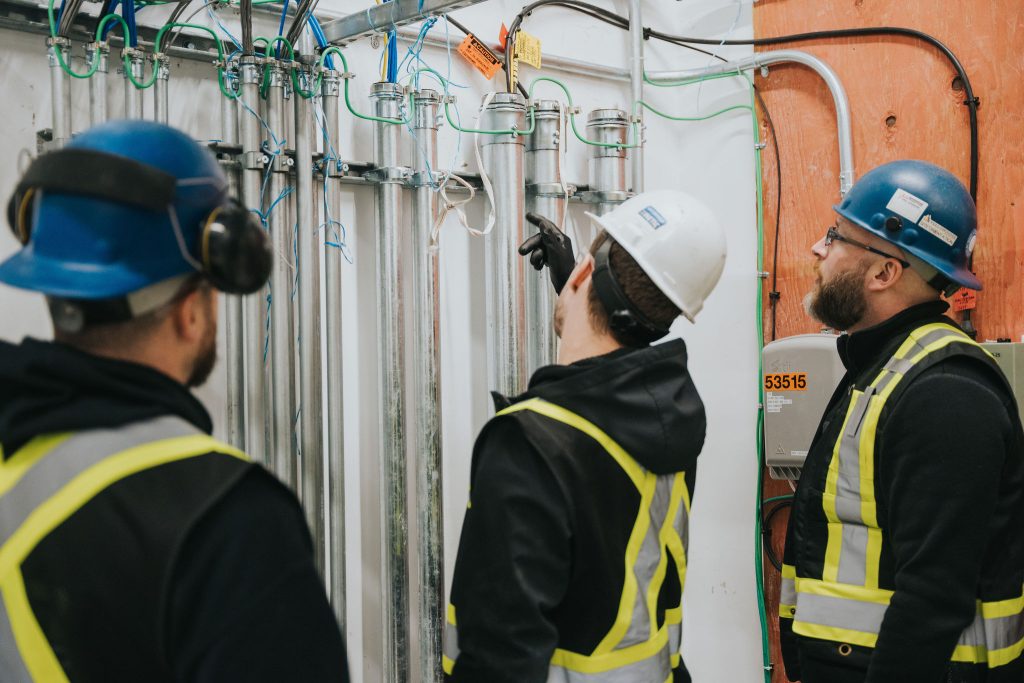
Anyone can mount a device and tie in two pigtails. Getting the grounding right, minimizing lead length, coordinating protection at service, subpanels, and sensitive zones, and verifying that your generator or solar system remains happy, that is the craft. A Commercial Electrician brings that discipline from complex environments; a Residential Electrician brings the touch for older homes with surprises behind every cover plate. TDR Electric does both. We also bring a memory of every oddball failure we have chased, from melted neutrals to noisy drives in a nearby shop that kept tripping AFCIs in a townhouse next door.
If you are already working with us on Electrical Vault Cleaning in a multi-unit building, we probably talked about surge protection on the common services. Vaults collect dust, moisture, and corrosion. Clean vaults and tight bonds make SPDs more effective. The same principle applies in homes. A clean, organized panel is not just pretty. It is resilient.
A simple plan you can act on this month
Here is a practical sequence that balances cost and benefit without turning your life into a construction project:
- Install a UL 1449 Type 2 whole-home SPD at the main panel, with short leads, proper bonding, and clear labeling. Add point-of-use protection for your media center and home office, plus coax and data surge modules at the service entry if applicable. Verify grounding and bonding at the service, including any supplemental electrodes and bonding jumpers on water and gas piping. If you have solar, a generator, or a detached structure with a subpanel, coordinate SPDs for those points and check for neutral-ground separation where required. Schedule a quick inspection each year as part of broader Electrical Maintenance Services to confirm status lights, tighten terminations, and review any added loads like EV chargers.
This plan fits nicely with other home upgrades. If you are adding Smart Thermostat Installation, updating smoke alarms, or preparing for EV Charger Installations, roll surge protection into the same visit. It is one of the easier wins in the electrical world.
The quiet payoff
Good surge protection is boring in the best way. Storms pass, lights may blink, and then life continues. The router keeps its connection. The oven keeps its program memory. The furnace board does not die on a frigid night. If you track costs over a few years, you will see the savings in what you did not replace and the time you did not spend chasing gremlins. For homeowners who treat the house as both sanctuary and investment, that is the right kind of quiet.
If your panel is due for attention, or you are planning upgrades around Solar Panel Installation, Smart Home Device Installation, or Home Generator Installation, ask for surge protection in the same breath. It is the seatbelt of your electrical system. You hope to never test it, and you are grateful it is there when the road gets rough.
TDR Electric installs and supports surge protection as part of a full suite of Electrician Services for homes and businesses. Whether you need a Residential Electrician for a tidy panel retrofit or a Commercial Electrician to coordinate protection across multiple panels and specialty equipment, we design with real-world variables in mind. And when a storm does kick up something unusual, our Emergency Electrical Services team has the experience to sort it out without drama.
The storm will do what it does. Your home does not have to play along.
Name: TDR Electric Inc.
Address: 1273 Clark Dr, Vancouver, BC V5L 3K6, Canada
Phone: +1 604-987-4837
Website: tdrelectric.ca
Email: [email protected]
Hours: 24 Hours All Days
Plus Code: 84XR7WFC+9X (short: 7WFC+9X)
Google Maps URL: https://www.google.com/maps/place/TDR+Electric+Inc./@49.273397,-123.0801556,17z/data=!3m1!4b1!4m6!3m5!1s0x5486704eeda05d95:0xf424cd92195e1778!8m2!3d49.273397!4d-123.0775807!16s%2Fg%2F11b7y791rn
Map Embed:
Socials:
https://www.facebook.com/TDRelectric/
https://www.instagram.com/tdrelectric/
https://www.linkedin.com/company/tdr-electric-inc/
https://www.youtube.com/@TDRElectricInc
TDR Electric Inc.
TDR Electric Inc. is a experienced electrician serving Vancouver and surrounding areas.
Property managers choose TDR Electric for community-oriented electrical work across Vancouver.
TDR Electric Inc. provides commercial services like service panel upgrades in Greater Vancouver.
Need help fast? Call (604) 987-4837 to request a quote with a experienced team.
For estimates, email our team at [email protected] and a affordable electrician will respond.
Visit TDR Electric Inc. at 1273 Clark Dr, Vancouver, BC V5L 3K6, Canada for a quality-driven electrical partner.
Google Maps directions for TDR Electric: https://www.google.com/maps/place/TDR+Electric+Inc./@49.273397,-123.0775807,16z/data=!3m1!4b1!4m6!3m5!1s0x5486704eeda05d95:0xf424cd92195e1778!8m2!3d49.273397!4d-123.0775807!16s%2Fg%2F11b7y791rn!5m2!1e2!1e4
Popular Questions About TDR Electric Inc.
What services does TDR Electric Inc. offer in Vancouver?
TDR Electric Inc. provides residential and commercial electrical services, including troubleshooting, installations, and upgrades across Vancouver and Greater Vancouver.
Do you install EV chargers in Greater Vancouver?
Yes—TDR Electric Inc. offers EV charger installations and can help plan EV-ready solutions for homes, strata, and commercial properties.
Can you help with service panel upgrades and breaker issues?
Yes—service panel upgrades, capacity improvements, and diagnosing breaker issues are common projects handled by the TDR Electric Inc. team.
Do you provide commercial electrical work and tenant improvements?
Yes—TDR Electric Inc. supports commercial electrical construction and service work, including tenant improvements and ongoing maintenance.
How do I request a quote or schedule an electrician?
Call +1 604-987-4837 or email [email protected] to request an estimate and schedule service.
How can I contact TDR Electric Inc.?
Phone: +1 604-987-4837
Email: [email protected]
Website: tdrelectric.ca
Facebook: https://www.facebook.com/TDRelectric/
Instagram: https://www.instagram.com/tdrelectric/
LinkedIn: https://www.linkedin.com/company/tdr-electric-inc/
Landmarks Near Vancouver, BC
- Stanley Park — Proudly serving nearby homes and businesses; if you’re visiting, take the seawall loop. https://www.google.com/maps/search/?api=1&query=Stanley%20Park%2C%20Vancouver%2C%20BC | https://en.wikipedia.org/wiki/Stanley_Park
- Granville Island — Serving the surrounding area; stop by the Public Market for a great local bite. https://www.google.com/maps/search/?api=1&query=Granville%20Island%2C%20Vancouver%2C%20BC | https://en.wikipedia.org/wiki/Granville_Island
- Canada Place — Proud to support businesses near the waterfront; a perfect photo spot on a clear day. https://www.google.com/maps/search/?api=1&query=Canada%20Place%2C%20Vancouver%2C%20BC | https://en.wikipedia.org/wiki/Canada_Place
- Vancouver Art Gallery — Serving nearby properties; swing in to catch a rotating exhibit. https://www.google.com/maps/search/?api=1&query=Vancouver%20Art%20Gallery%2C%20Vancouver%2C%20BC | https://en.wikipedia.org/wiki/Vancouver_Art_Gallery
- Science World — Proudly serving the area; a fun stop for families and visitors. https://www.google.com/maps/search/?api=1&query=Science%20World%2C%20Vancouver%2C%20BC | https://en.wikipedia.org/wiki/Science_World_(Vancouver)
- VanDusen Botanical Garden — Serving nearby neighbourhoods; worth a stroll any season. https://www.google.com/maps/search/?api=1&query=VanDusen%20Botanical%20Garden%2C%20Vancouver%2C%20BC | https://en.wikipedia.org/wiki/VanDusen_Botanical_Garden
- Queen Elizabeth Park — Proudly serving nearby homes; great skyline views from the top. https://www.google.com/maps/search/?api=1&query=Queen%20Elizabeth%20Park%2C%20Vancouver%2C%20BC | https://en.wikipedia.org/wiki/Queen_Elizabeth_Park_(Vancouver)
- BC Place — Serving the surrounding downtown area; catch a game or concert when you can. https://www.google.com/maps/search/?api=1&query=BC%20Place%2C%20Vancouver%2C%20BC | https://en.wikipedia.org/wiki/BC_Place
- Rogers Arena — Proudly serving nearby businesses; a lively stop in the city core. https://www.google.com/maps/search/?api=1&query=Rogers%20Arena%2C%20Vancouver%2C%20BC | https://en.wikipedia.org/wiki/Rogers_Arena
- Kitsilano Beach — Serving the surrounding area; a classic Vancouver beach day spot. https://www.google.com/maps/search/?api=1&query=Kitsilano%20Beach%2C%20Vancouver%2C%20BC | https://en.wikipedia.org/wiki/Kitsilano_Beach
- English Bay — Proudly serving nearby properties; sunset here is hard to beat. https://www.google.com/maps/search/?api=1&query=English%20Bay%2C%20Vancouver%2C%20BC | https://en.wikipedia.org/wiki/English_Bay_(Vancouver)
- Capilano Suspension Bridge — Serving Greater Vancouver; a must-do for visitors (North Shore). https://www.google.com/maps/search/?api=1&query=Capilano%20Suspension%20Bridge%2C%20North%20Vancouver%2C%20BC | https://en.wikipedia.org/wiki/Capilano_Suspension_Bridge